Monte GT Support
Nothing matches that. Ask us instead — Ask Monte
FAQ
Will it fit my car?
Check the catalogue: make, model, year and engine. Monte GT works on cars with an OBD-II port — in the US from 1996, in Europe from 2001 — but each engine needs its own setting, so not every car is listed yet. Browse supported cars →
What does Monte GT change?
A calibration made for your exact engine and year, at up to 256 load points, in the engine’s temporary memory. It never writes to the permanent memory. It plugs into the OBD-II port, and you control it from the Monte app over Bluetooth.
How much power will I get?
It depends on the engine. Up to 20% on turbocharged engines, up to 12% on naturally aspirated ones and up to 10% on hybrids — measured against the combined output of engine and battery, because a tune works on the combustion engine only. Real-world results may be less or more: engine size, fuel quality, altitude, engine condition and how the car is driven all play a part.
Does it change throttle response?
Not directly — the GT does not change how the pedal is read. It changes the engine’s calibration, and the extra torque is what makes the car feel quicker to respond.
Can I use it with a throttle controller?
Yes. A throttle controller only changes how the pedal is read; Monte GT tunes the engine itself. They work on different systems, so they can be used together.
Does it work with diesel engines?
Yes. Monte GT works with gasoline and diesel engines, including turbo-diesels, and with many hybrids. Check your exact engine in the catalogue before you buy. Browse supported cars →
Does it work with automatic, DSG and CVT transmissions?
Yes. The GT changes the engine’s calibration and nothing in the gearbox, so it works with manual, automatic, dual-clutch (DSG) and CVT transmissions alike.
Does it save fuel?
The Economy modes are made for steady, relaxed driving. How much fuel they save depends on the car and how it’s driven — we don’t quote a figure until we’ve measured it.
Do I need higher-octane fuel?
No. Use the fuel grade your manufacturer specifies. Higher octane may help a little in the performance modes, but it is not required.
What are the six modes?
Race II, Race, Mix, Stock, Economy and Economy II. Race II gives the most performance and no fuel saving, Economy II the most fuel saving and no extra performance, Mix sits in between, and Stock is factory behaviour. Each is its own tune, not one setting turned up and down. Change mode in the app with the car at a standstill.
Why does it take 120 miles?
In each mode the GT spends the first 120 miles (200 km) reading your engine before it applies that mode in full. Drive normally — several short trips count. You may not feel much at first; that is the adjustment still running. Switch to another mode and its own 120 miles begin.
Is it safe for my engine?
The GT works in the engine’s temporary memory and never writes to the permanent one, and the factory safeguards stay active. Like any tune, the performance modes add load — use them as intended, and keep the fuel grade and service schedule your manufacturer specifies.
Will it void my warranty?
No — installing an aftermarket part doesn’t void your car’s warranty by itself; that’s US federal law (the Magnuson-Moss Warranty Act). Monte doesn’t rewrite the factory software, and unplugging it puts the car back on its factory settings. Warranty repairs are always the dealer’s decision.
What happens when I unplug it?
The car is back to its factory settings immediately. There is nothing to undo and nothing to reset. Plug it back in and your mode is there again, with whatever adjustment it had already done.
What does the app do?
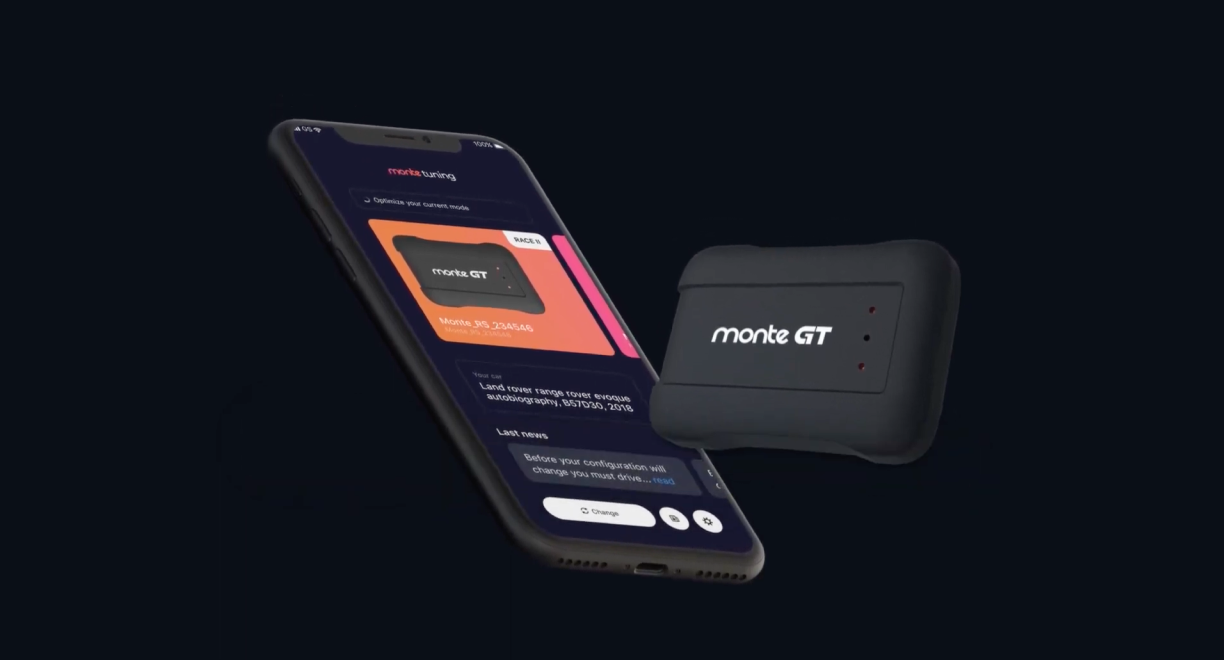
Everything the GT does, it does through the Monte app — there is no screen on the device and nothing to press. In the app you choose your car and a mode, and watch speed, average and top speed and drive time on the gauges screen. iPhone and Android: montetuning.com/gtapps. You need an account to keep your car and your modes.
Is the app free? Can I use the GT without a phone?
The app is free. You do need a phone: the GT has no screen and no buttons, so your car and your mode are set in the app. Once they are set, the GT carries on without the phone.
Does it stay plugged in? Do I keep the app open?
The GT stays plugged in — that is how it keeps working. The app does not: once the mode is set, close it and the GT carries on by itself. Parked, the GT goes to sleep and blinks red once every five seconds; it wakes when you start the car.
Will it drain the battery?
It is not meant to. Parked, the GT goes to sleep — the lamp blinks red once every five seconds — and wakes when you start the car.
How do I fit it?
It takes a few minutes. Plug the cable into the OBD-II port — on its own, never through a splitter — and set the GT on the magnet mount. Get the Monte app, create an account, pair over Bluetooth with the engine running, then choose your car and a mode.
The phone will not pair. What should I check?
The engine has to be running. Check that Bluetooth is on and that no other phone is already paired with the GT. While it pairs, the lamps flash blue.
Can I move it to another car?
Yes. Unplug it, plug it into the other car, choose that car in the app and let the mode run its 120 miles. Selling the car? Take the GT with you.
My car is not on the list. What now?
Tell us the make, model, year and engine. We build the setting for it, normally within three business days, and the catalogue in the app updates itself — you do not need a new device.
A warning light came on. What should I do?
Unplug the GT. If the light goes out, tell us the car, the mode, what the lamps are doing and roughly how many miles since you set it. If the light stays with the GT unplugged, it is the car, and it wants looking at either way.
Does Monte remove the speed limiter or turn off safety systems?
No. Monte tunes the engine and switches between its own modes — nothing else. It doesn’t remove the top-speed limiter, doesn’t turn off stability control, traction control, ABS or other safety systems, and doesn’t change lighting, tire size or speedometer calibration.
Didn’t find it? Ask Monte — it knows every answer here and can look up your order.
Installation
Programmer
Download app
Ask Monte in the chat — or write to [email protected].
Average response time: within 2 hours
